Victorian Jewelry Pieces: Classic Charm
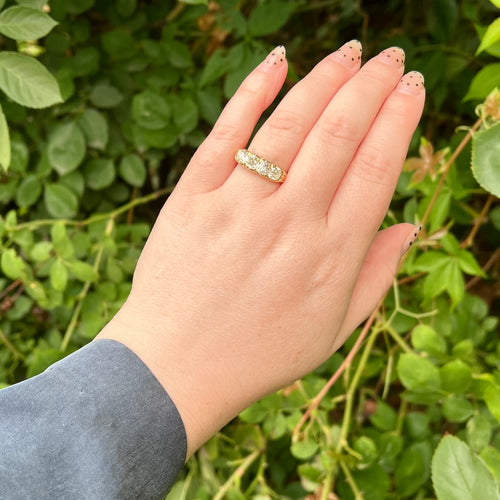
Victorian Jewelry Pieces: Classic Charm
Victorian jewelry, a hallmark of elegance and sophistication, continues to captivate enthusiasts with its intricate designs and historical significance. Originating in the 19th century during Queen Victoria’s reign, these pieces reflect the rich cultural and artistic influences of the era. Today, Victorian jewelry is cherished not only for its aesthetic appeal but also for its ability to tell stories of the past. This article delves into the enchanting world of Victorian jewelry, exploring its distinctive features and enduring charm.
The Allure of Victorian Jewelry
Historical Context and Influence
Victorian jewelry is deeply rooted in the historical context of the 19th century. As a period marked by industrial revolution and cultural shifts, the jewelry from this era embodies a blend of innovation and tradition. Queen Victoria’s personal style heavily influenced jewelry trends, with items reflecting her tastes in motifs and materials.
- The Romantic Period (1837-1860): Characterized by intricate designs, sentimental motifs, and the use of colored gemstones.
- The Grand Period (1860-1885): Known for bold designs, darker materials like jet, and the inclusion of motifs inspired by ancient cultures.
- The Aesthetic Period (1885-1901): Emphasized artistic designs and the use of lighter, more delicate materials.
To delve deeper into the nuances of these periods, find out more about this approach.
Materials and Techniques
The versatility of materials and the innovation in techniques during the Victorian era contributed to the uniqueness of its jewelry. Gold, silver, and platinum were commonly used, often adorned with gemstones such as diamonds, emeralds, and sapphires. Techniques like repouss??, enamel work, and filigree added intricate details to the pieces.
- Gold and Silver: Often used for their durability and elegance.
- Gemstones: Included both precious and semi-precious stones, adding color and symbolism.
- Innovative Techniques: Enamel and filigree work were popular for their ability to create detailed patterns.
For those interested in the craft behind these exquisite pieces, explore advanced guides and tips.
The Timeless Appeal of Victorian Jewelry
Collecting and Preserving Victorian Pieces
Victorian jewelry remains a sought-after collectible due to its historical value and artistic merit. Collectors often seek pieces that are well-preserved and representative of key styles from the era. Proper care and maintenance are crucial in preserving these timeless pieces.
- Authenticity: Ensuring that pieces are genuine and not reproductions.
- Condition: Looking for well-maintained items with minimal wear and tear.
- Provenance: Understanding the history and origin of the piece.
For expert guidance on collecting and preserving these treasures, discover expert strategies here.
Incorporating Victorian Jewelry into Modern Fashion
Victorian jewelry is not only appreciated for its historical significance but also for its versatility in modern fashion. These pieces can be seamlessly integrated into contemporary wardrobes, adding a touch of elegance and vintage charm.
- Statement Pieces: Using bold Victorian jewelry to enhance modern outfits.
- Layering: Combining Victorian items with contemporary pieces for a unique look.
- Versatility: Victorian jewelry’s timeless appeal allows it to complement various styles.
To learn more about integrating these classic pieces into modern style, learn about our tailored solutions.
Conclusion
Victorian jewelry continues to enchant collectors and fashion enthusiasts alike, offering a unique blend of history, artistry, and timeless beauty. Whether treasured as collectibles or worn as fashion statements, these pieces remain a testament to the rich cultural heritage of the Victorian era. By understanding their historical context, materials, and techniques, one can truly appreciate the classic charm of Victorian jewelry. For more insights and guidance on this captivating subject, explore advanced guides and tips.